English web classes and course videos
Follow lectures while reading the original transcript and your chosen translation together in the side panel.
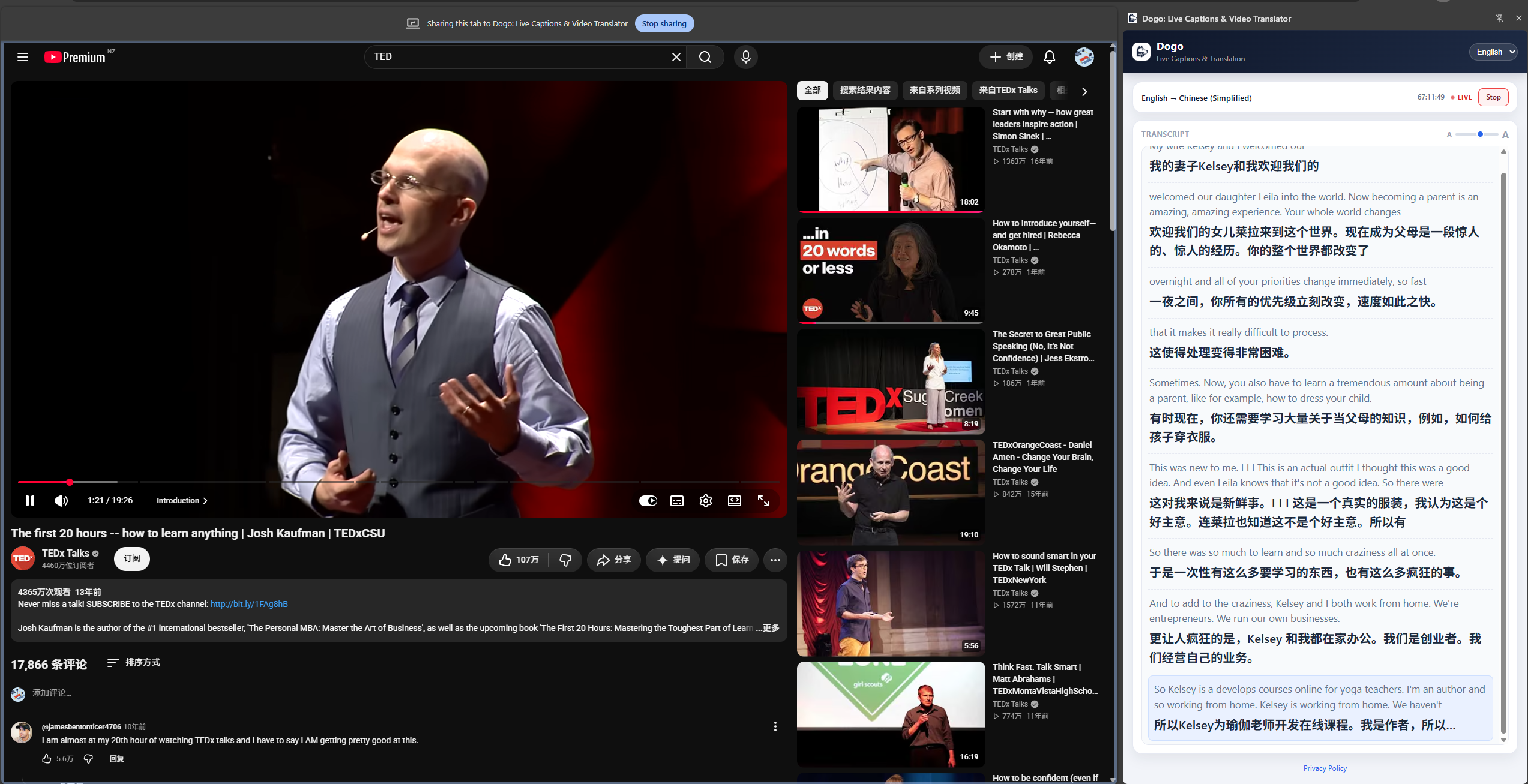
Dogo turns website audio into live original-language text and translation, together in your browser's side panel. Keep watching your course or video while you read along.
Dogo is not trying to impress users with AI jargon. It is solving a very practical problem: understanding spoken English fast enough to keep up with a page, a class, or a meeting while it is happening.
From recorded lessons to browser-based conversations, keep the original words and their translation within reach.
Follow lectures while reading the original transcript and your chosen translation together in the side panel.
When meeting audio plays in a Chrome tab you can share, Dogo can help you follow key points. Test your setup with the free minutes first.
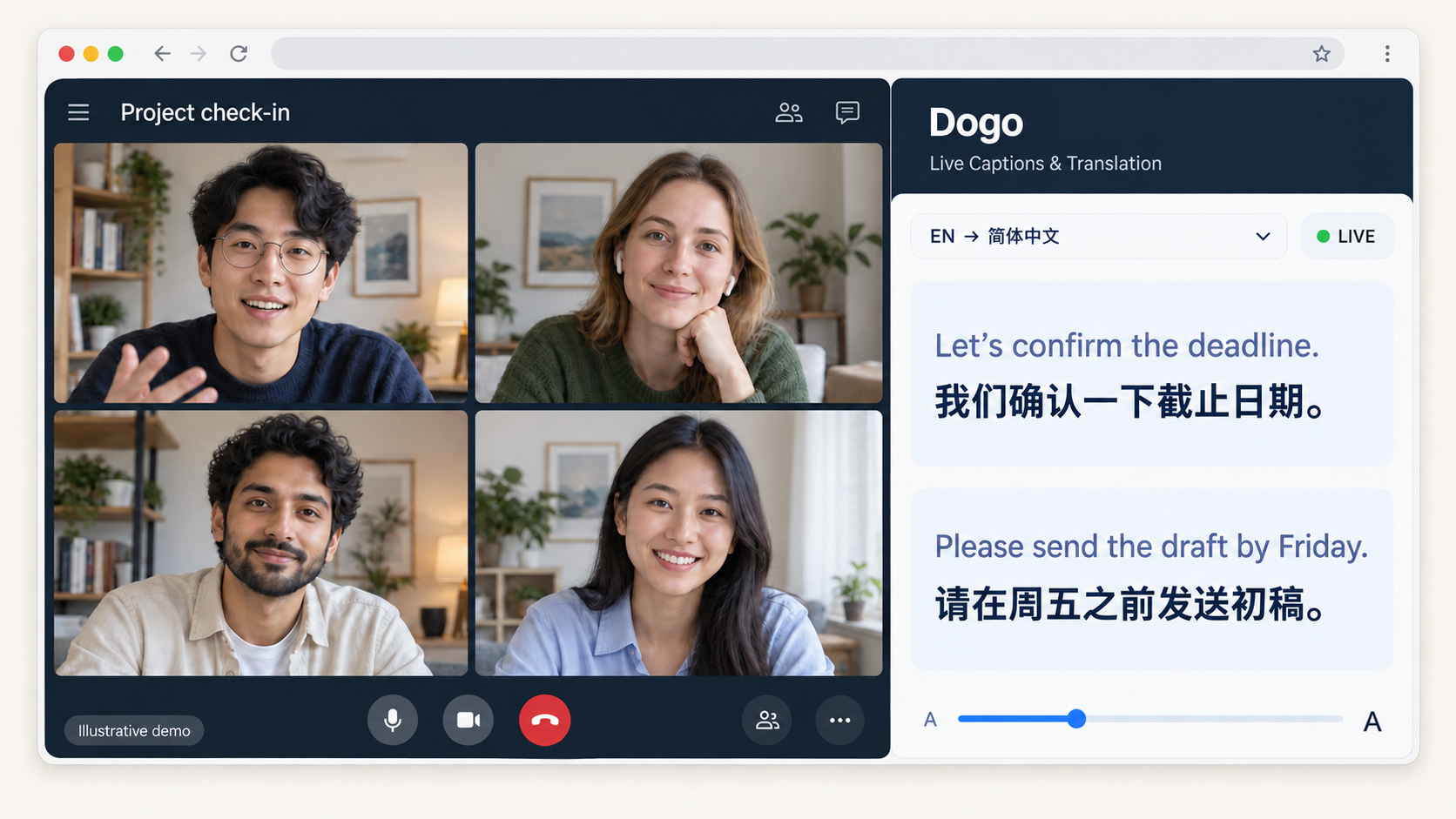
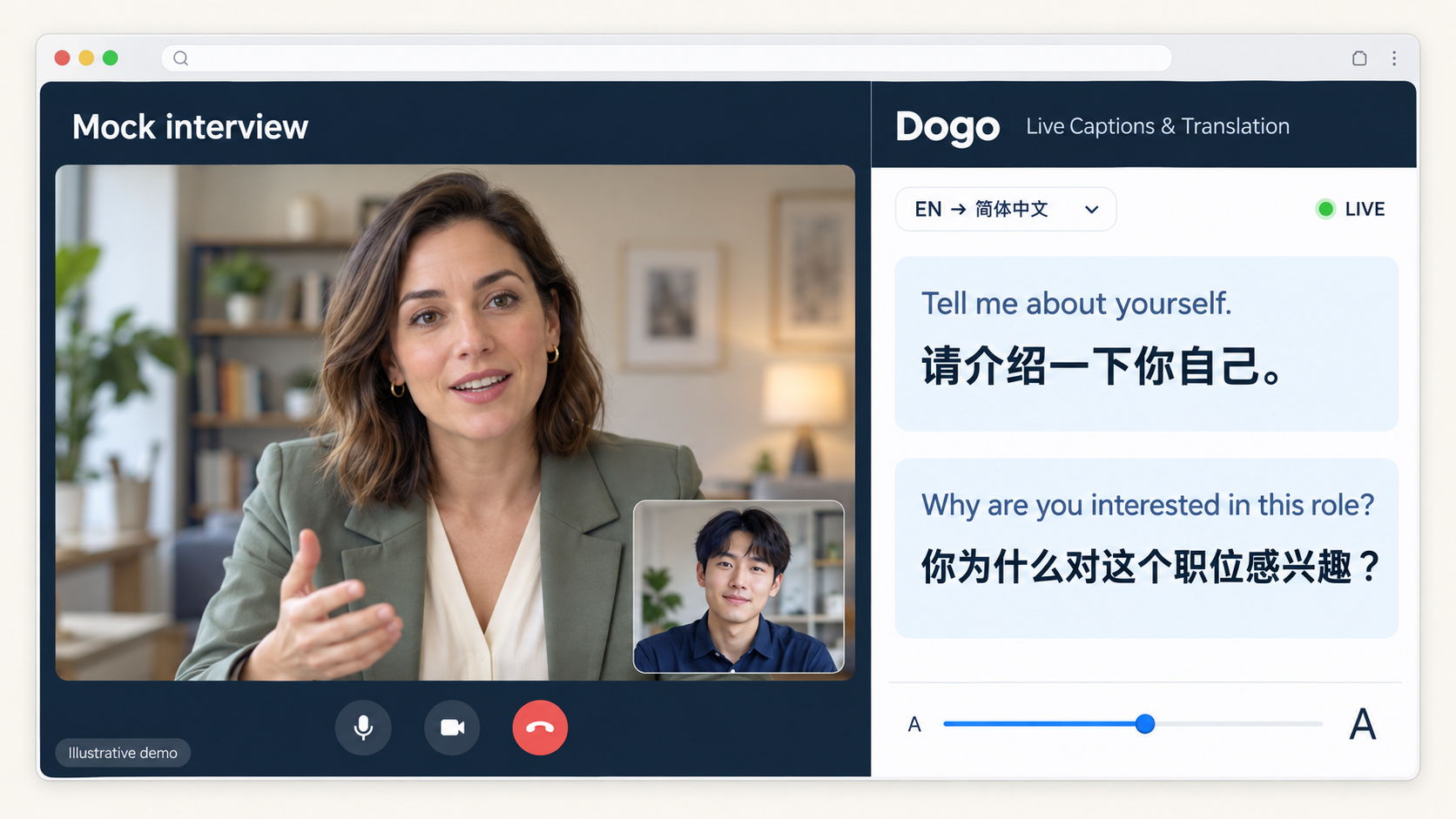
Reduce the panic that comes from missing a sentence when every answer depends on understanding the question correctly.
Your video stays on the page. Dogo keeps the original speech and its translation together in a dedicated Chrome side panel.
Follow the original transcript and translated text as the audio plays.
Choose the Chrome tab you want to translate and share its audio with Dogo.
Use the text-size slider to adjust the transcript to a comfortable reading size.
No separate desktop application. Open Dogo in Chrome and sign in to your account.
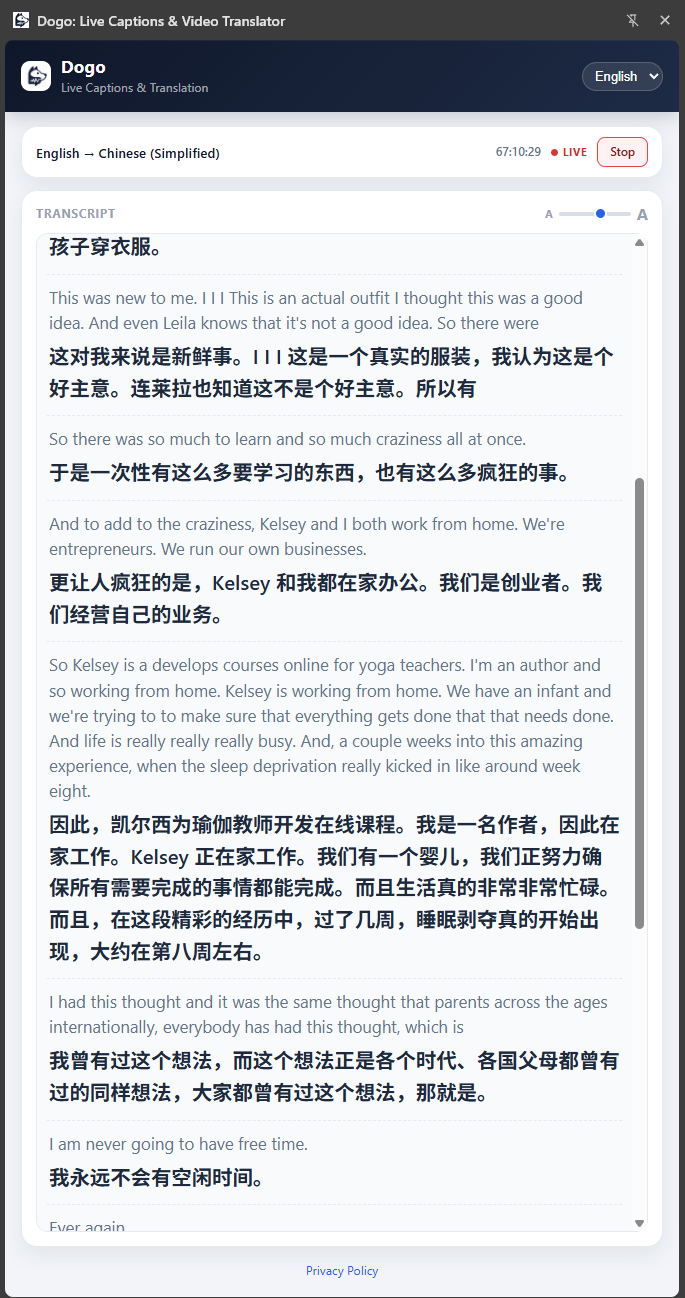
English text and Chinese translation appear in the same transcript, so you can connect what you hear with what it means.
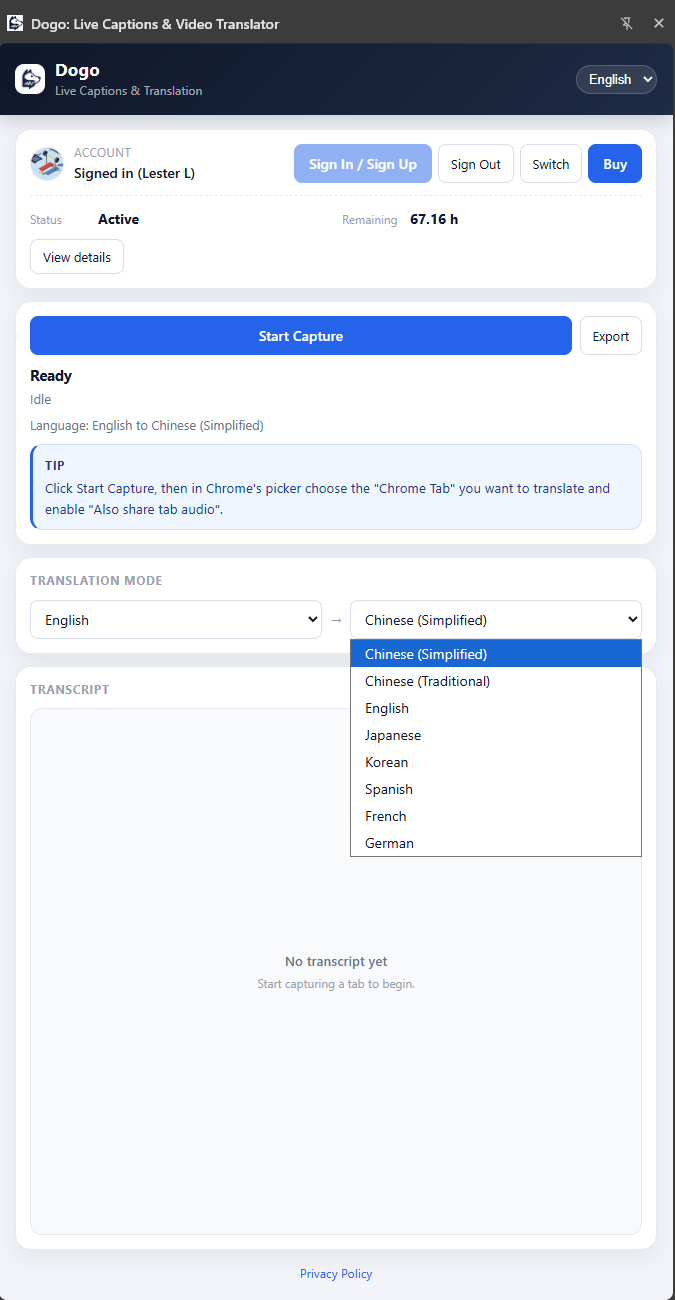
Select the language of the audio and the language you want to read before you begin.
The current translation menu includes the options shown below. This example is set to English audio with Simplified Chinese translation.
Choose from the available source and translation languages in Dogo.
Open your content, choose your languages, and start reading along in the side panel.
Add Dogo to Chrome, open its side panel, and create your account. New registrations receive 10 free minutes.
Under Translation Mode, select the language being spoken and the language you want to read.
Click Start Capture, choose Chrome Tab, select your video or meeting tab, and enable Share with tab audio.
Play the audio and follow both languages in the side panel. Click Stop when you finish.
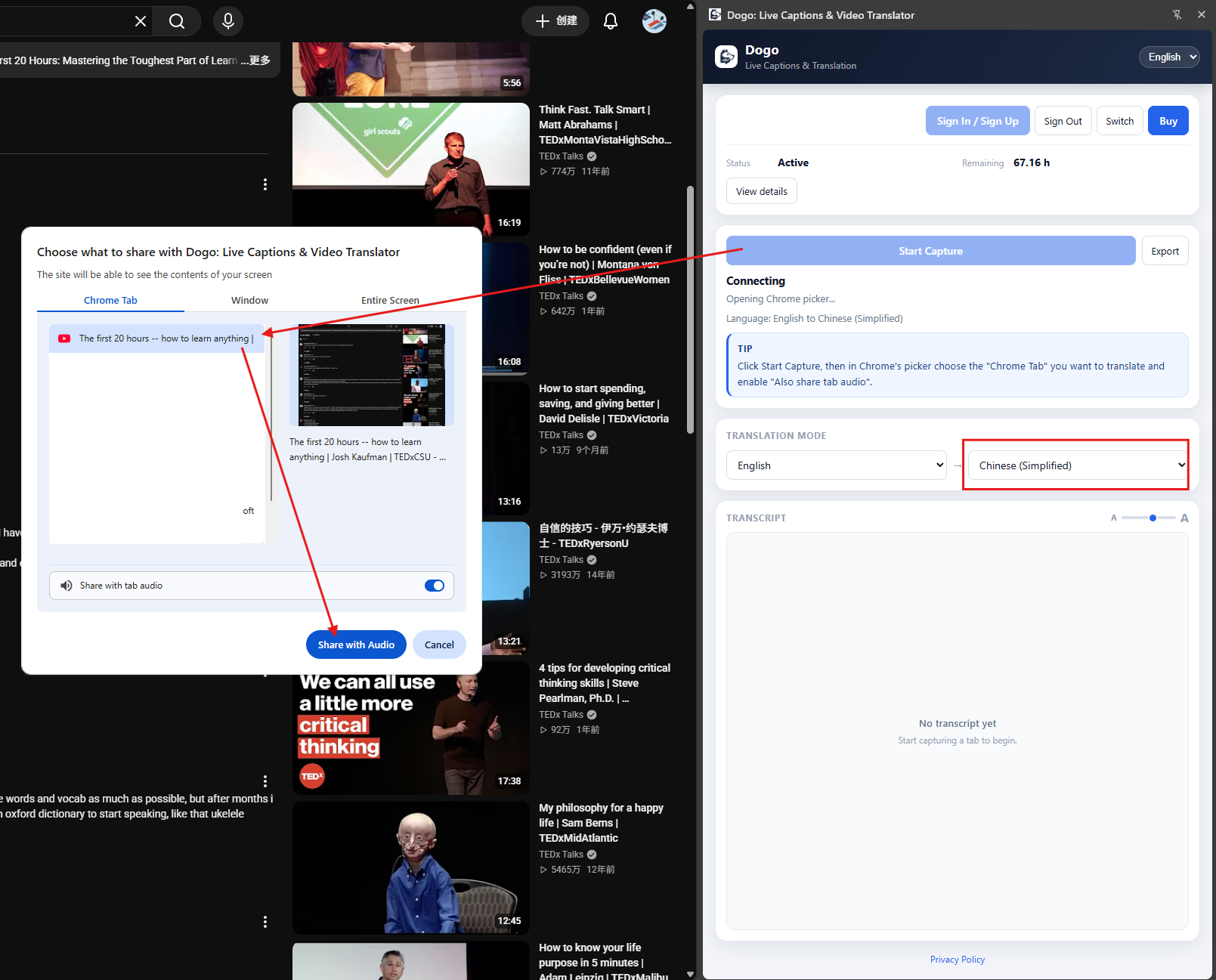
Dogo needs the selected tab's audio to produce captions.
After setup, the transcript appears in Dogo's side panel alongside your page.
Start with the free minutes, then choose a time pack that matches your classes, meetings, or listening practice.
Best for users who only need Dogo sometimes and want a smaller commitment.
Best for regular classes, work content, and repeat weekly usage.
Best for students or professionals who rely on it almost every day.
Install Dogo and sign in, then select Buy in the side panel. Pack details are shown before checkout.
Before you start, you should be able to see what information supports your account and how live audio is handled. These highlights summarize Dogo's published privacy policy.
Signing in may require your email address. Basic usage and browser information may also be used to provide, maintain, and improve Dogo.
Dogo's published policy says it does not save or replay your video or audio. Processing is used to generate live captions and translation.
Translation may use third-party services for necessary processing. Review the full policy for more information or contact us with questions.
A few useful details before your first session.
Dogo captures audio from the Chrome tab you choose and displays the transcript and translation in its side panel. Availability can vary by website or meeting platform, so try your setup with the free minutes first.
Yes. With English and Chinese selected, the original English transcript and Chinese translation appear together in the side panel.
Captions appear in Dogo's Chrome side panel, not as a floating layer over the webpage. You can adjust the transcript text size using the slider.
New users get 10 free minutes after registration. You can also claim 30 free minutes each week; the weekly minutes must be claimed rather than renewing automatically.
Each pack is a one-time purchase with the validity period shown above. Unused time expires at the end of that period, so choose based on how often you expect to use Dogo.
Dogo does not offer a saved translation-history feature. For details about live processing and third-party services, read the full privacy policy.
Install Dogo, start with the free trial, and decide based on whether it actually makes the content easier to understand.